Note! To accurately diagnose faults on Seeley products, we recommend that Service Technicians use a wall controller on a short test lead at the cooler. This way the functions of the cooler, as well as the diagnostics LED's can be immediately observed in relation to the commands issued by the controller.
EXH compatible - 4 pin RJ connector communication cable - 1 metre test loom Pt# 831534
EXQ compatible - 6 pin RJ connector communication cable - 1.5 metre test loom Pt# 862873
RPCQi compatible - 6 pin RJ connector communication cable - 1.5 metre test loom Pt# 862
IMPORTANT SAFETY NOTE! When any side panels are removed, always test evaporative coolers with the pump disconnected or in ventilation mode, as wet roof surfaces can create a safety hazard. Also care must be taken when working in close proximity to moving parts.
PROBLEM:
Unit fills with water; pump runs but fan motor does not start.
Fan does not run in “vent” mode either.
THE 2 GREEN FLASHES and the RED SAL LIGHT ARE NOT RELEVANT TO THIS ISSUE
⚠️ IMPORTANT – Multimeter Use and Diagnostic Guidance
Please note that high DC voltages may be present at the control box motor output plug. These voltages are not relevant to diagnosing the control box or motor, and attempting to measure them can result in damage to your multimeter if incorrect settings are used.
For this reason, it is not recommended to test voltage outputs to the motor during diagnostics. Instead, focus on manufacturer-approved diagnostic procedures that provide accurate results without risking equipment damage.
This guidance is intended to support best practices and protect your tools during service work.
The following points should help determine whether it’s the fan motor or the control box which is at fault.
IMPORTANT!!! Due to the protective design of the circuitry of the motor and control box, the chance of both components failing together is extremely low. Hence, the importance to diagnose correctly to prevent unnecessary costly part replacement.
Does the motor spin by hand?
The fan should spin freely and do at least one or two full turns.
If the fan is stiff to turn, unplug the motor power cable at the box and try spinning again. If still not turning easily, measure the motor winding resistances.
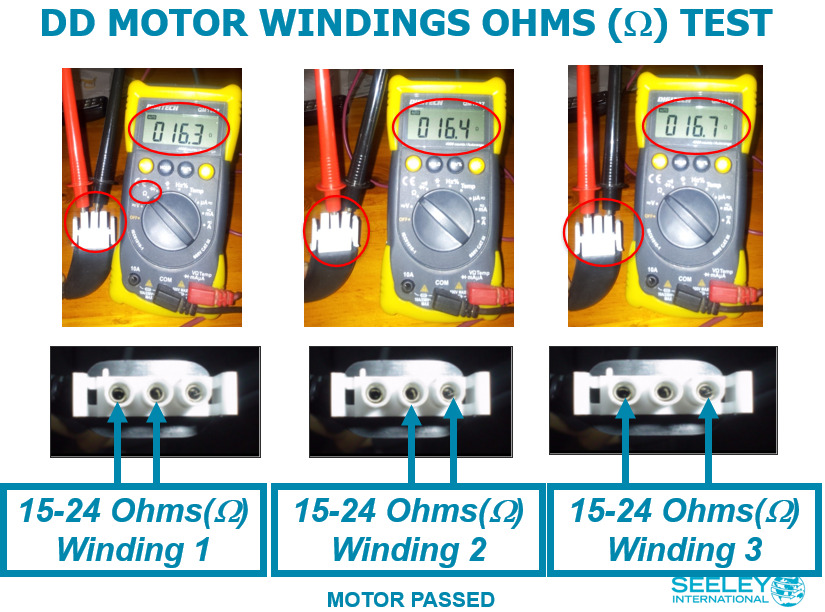
What are the ohms readings of the 3 motor phases?
This is a 3‑phase Direct Drive (DC) motor and is tested in the same basic way as any 3‑phase motor.
Before testing:
Isolate power
Disconnect the motor from the ICON control box
Ensure the fan and motor are completely still, as any movement can cause unstable readings
Using a multimeter set to Ohms (Ω), measure the resistance between each pair of motor phases (phase‑to‑phase).
Interpreting the readings:
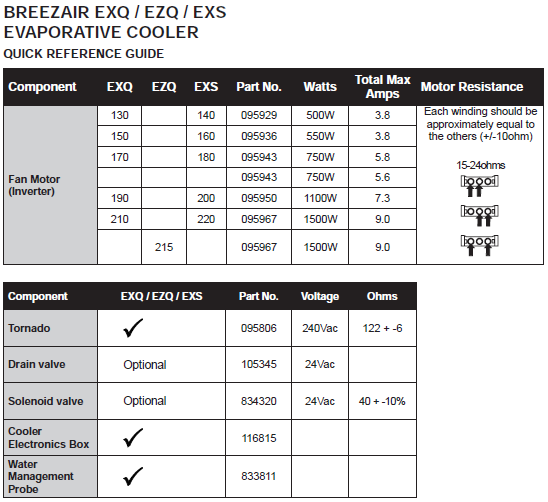
All three windings readings Pins1-2, Pins 2-3, Pins 1-3 should be approximately the same
Minor variation (±2–3 ohms) between windings is acceptable
Slight fluctuations during testing are normal on this motor type
✅ Stable and similar readings (even if fluctuating) indicate healthy motor windings
❌ One reading that is significantly higher or lower than the other two indicates a short or open circuit in the motor windings and the motor should be replaced
If all resistance readings are acceptable and the fan spins freely by hand when disconnected from the ICON control box, this indicates the motor windings are not shorted.
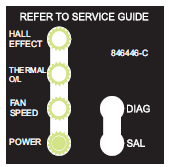
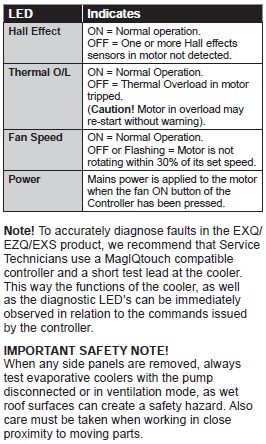
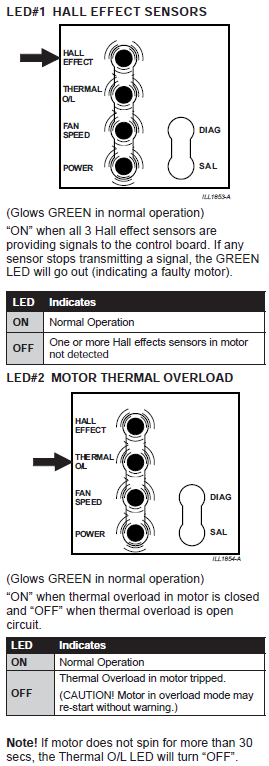
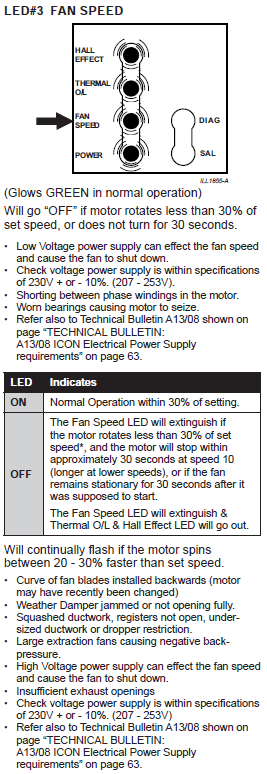
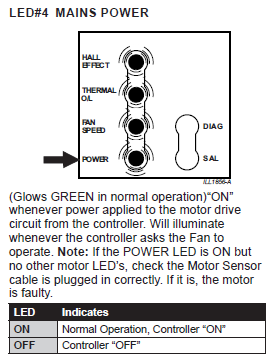
Looking at the 4 x motor diagnostic LEDs on the left-hand side of the Icon control box
Does the “Power” LED light up when switched to vent mode?
Turn the unit on in “vent” mode while you are on the roof.
If the Power LED does NOT light up, the control box has failed to switch power to the motor. Unplug both cables from the motor and try again. If the result is the same, replace the control box. If the LED comes on when the motor is fully disconnected, replace the motor.
If the Power LED comes on but the other three stay off, unplug the sensor cable at the control box and closely inspect both plugs for any obstructions then plug back in and try again. If the result is the same, replace the motor.
• Do all four LEDs come on?
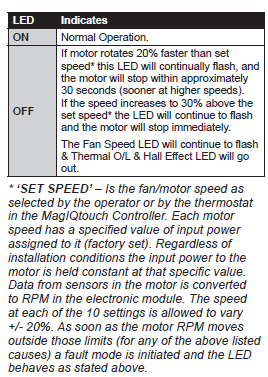
During normal operation all four LEDs should come on. If one of these goes out, then that is the fault indicator e.g. Thermal O/L goes out, motor has tripped its internal thermal overload switch.
If the Fan Speed LED goes out (or starts to flash) it may be something simple like not enough windows open, squashed or restricted ducting, some vents have been shut off, or the weather seal has opened fully.
Motor Ohms Out Correctly but continuous clicking noise from Control Box or flickering LEDs:
Even if the motor's resistance readings (ohms) are correct, motor windings can still have issues.
Always check the Power LED to ensure the control box is functioning properly. If the other three motor diagnostic LEDs don't illuminate or only briefly flicker, consider the motor to be faulty.
Explanation - High-Power Switching and Voltage Spikes within the motor:
Within a 3-phase DC inverter motor, high-power switching at approximately 15kHz can cause significant voltage spikes (>700V). If the motor's insulation is deteriorating, these spikes can lead to arcing between phases. This arcing produces short, high-current spikes that are not detectable by measuring resistance between phases but is a symptom of deteriorating insulation.
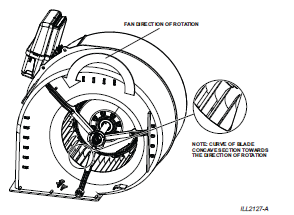
IMPORTANT! Fan Speed LED flashing after motor changed:
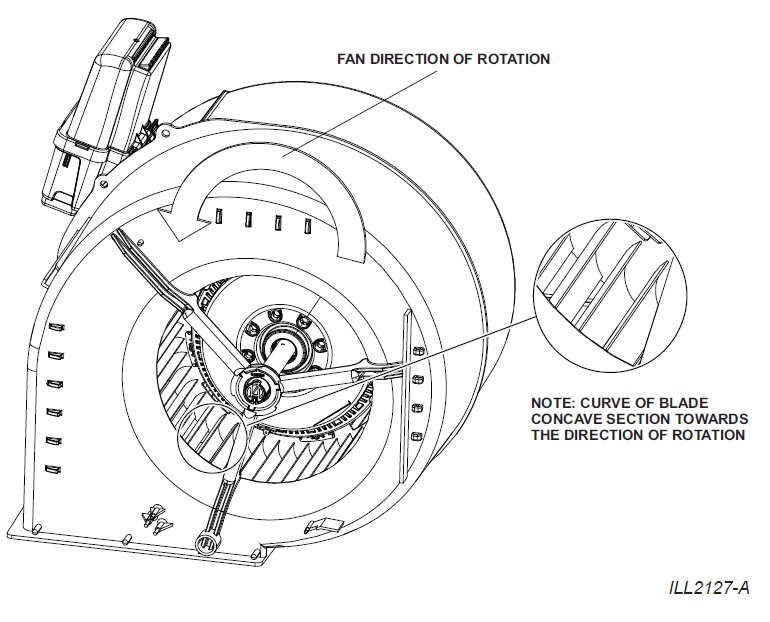
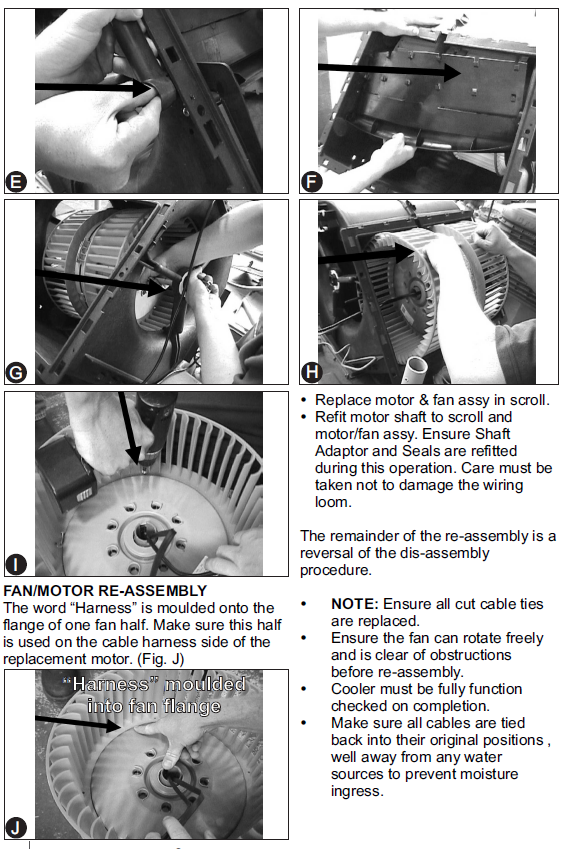
If a motor has recently been changed and it only runs for a brief period of 30 second to a minute and the fan speed LED is flashing - check the fan has not been put in backwards when motor was replaced.
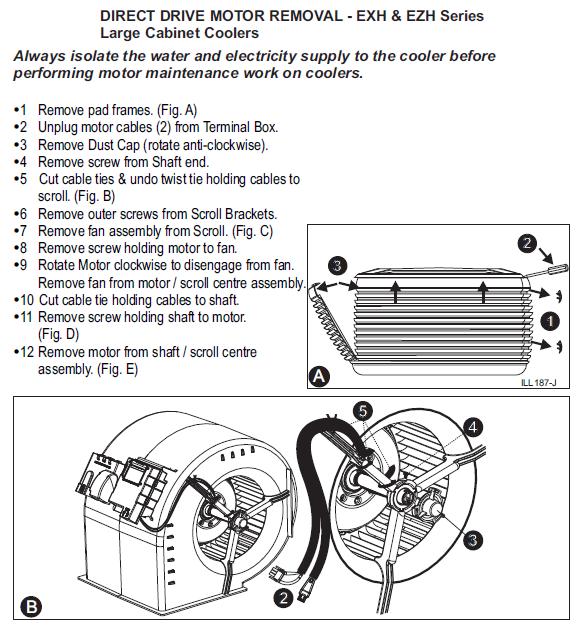
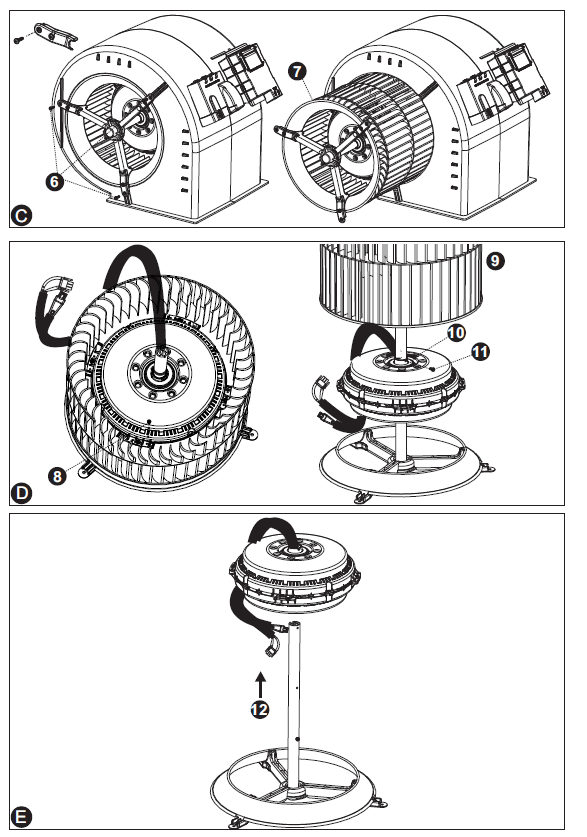
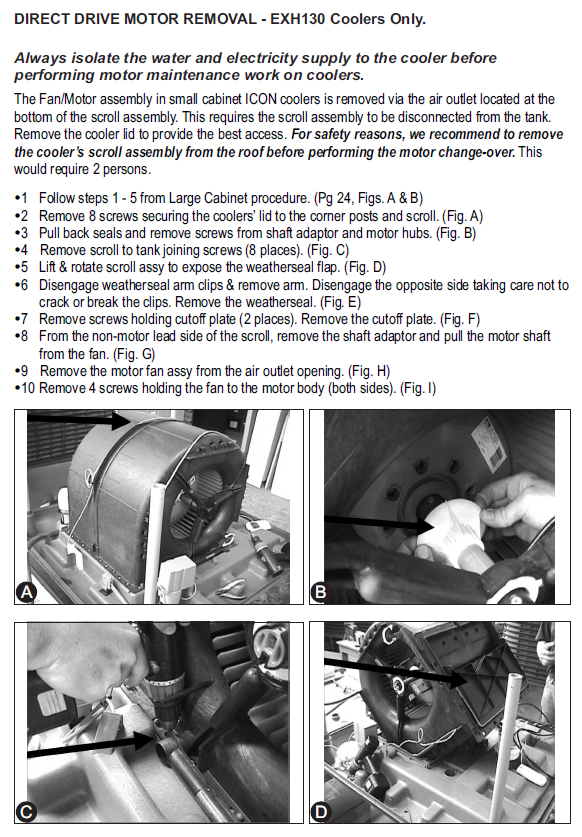
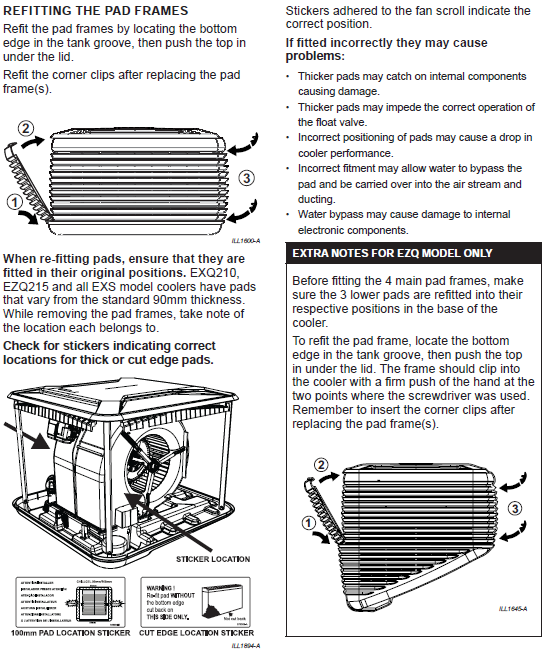
See attached Icon DD Service Guide Extracts Pdf: For some more comprehensive information on Diagnosing Motor and Control box diagnostics and DD motor replacement procedures.