CW3 / CW6 Climate Wizard – FC7 / FC13 diagnosing if it's a Motor or PCBA Fault Diagnosis
Motor vs PCBA Isolation Procedure
Overview
This guide provides a quick and reliable diagnostic method to determine whether FC7 (Supply Motor Error) or FC13 (Exhaust Motor Error) is caused by:
- A faulty motor, or
- A failed relay/PCBA, or
- A connection issue
This method applies to both CW3 and CW6S Climate Wizard units and is based on the wiring and fault code behaviour described in the Climate Wizard CW3 Installation & Operation Manual (Fault Codes – PDF p.24)
Important Motor Identification
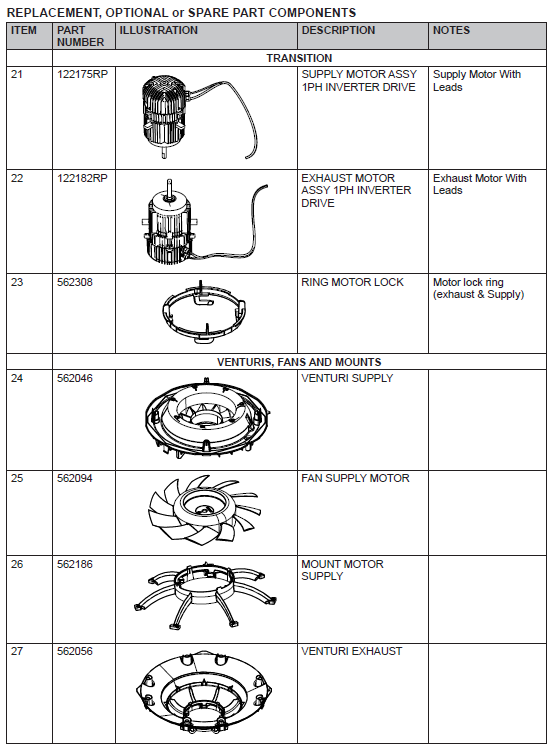
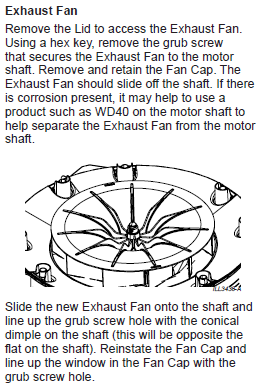
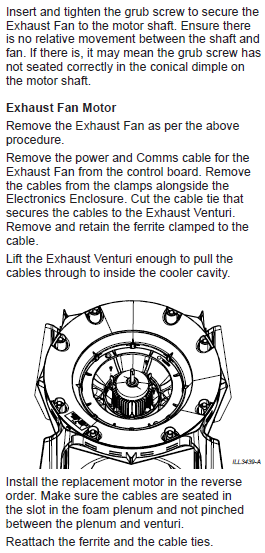
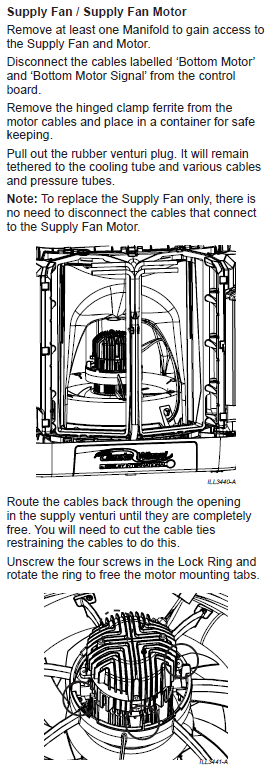
- Top Motor = Exhaust Motor (FC13)
- Bottom Motor = Supply Motor (FC7)
- Always follow the printed labels on the PCBA, not the physical connector orientation.
(Motor power/comm cable locations shown in Control Module Wiring Diagram – PDF pges.16–18)
Click to view - CW3 / CW6S FC7 and FC13 Diagnostic (determining if Motor or PCBA) YouTube Video
⚠️ Before You Start
- Turn power OFF at the unit.
- Do not unplug/plug cables with power applied.
- This method relies only on swapping motor cables, not advanced electrical testing.
Diagnostic Method (Quick Procedure)
Goal: Determine whether the fault “follows the motor” (bad motor) or “stays on the same output channel” (bad PCBA/relay).
STEP 1 — Swap BOTH Motor Cable Sets on the PCBA
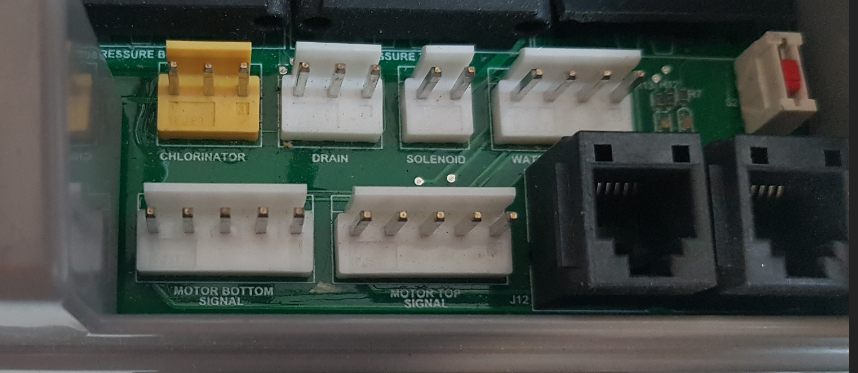
A. Swap Motor Signal (Communication) Cables
- Swap Motor Top Signal ↔ Motor Bottom Signal
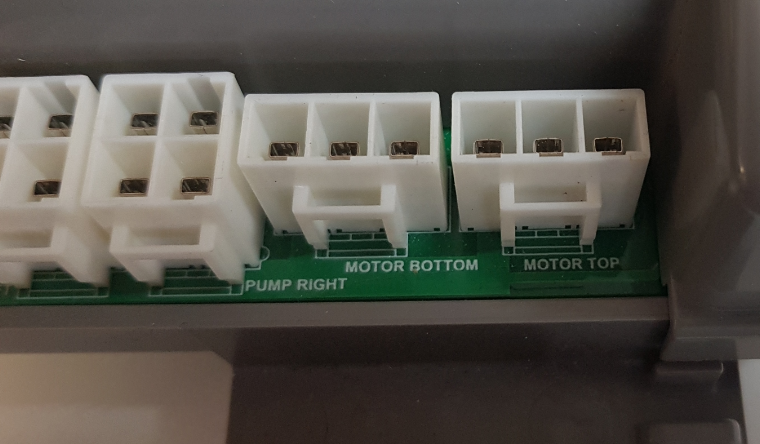
B. Swap Motor Power Cables
- Swap Motor Top Power ↔ Motor Bottom Power
After swapping,
- The Supply Fan command will now drive the Exhaust Motor,
- The Exhaust Fan command will drive the Supply Motor.
This is the basis of the isolation test.
STEP 2 — Power ON and Enter the Service Operating Screen
MagIQtouch path (as shown in service menu instructions – attached PDF p.22)
SETTINGS → SERVICE → CW3/CW6 → 7378 → SERVICE OPERATING SCREEN
STEP 3 — Test Both Motors from the Service Screen
A. Turn ON "Supply Fan"
This now controls the previous Exhaust Motor.
B. Turn ON "Exhaust Fan"
This now controls the previous Supply Motor.
STEP 4 — Interpret the Results
✔ If the same motor still does NOT run (top or bottom):
➜ The fault follows the motor → BAD MOTOR
Action: Replace that motor.
✔ If the motor that fails CHANGES to the other motor after the swap:
➜ The fault follows the relay/PCBA → BAD PCBA
Action: Replace PCBA (relay is integrated).
✔ If BOTH motors run properly after reseating and swapping cables:
➜ Likely loose or poor connection
Action: Reseat and secure all connectors.
Result Summary Table
| After Cable Swap | Meaning | Required Fix |
|---|---|---|
| Same motor still fails | Motor fault | Replace motor |
| Fault switches to other motor | Relay/PCBA fault | Replace PCBA |
| Both motors run | Connection/plug issue | Reseat connectors |
FC7 and FC13 Reference (Manual p.24)
From Fault Code Descriptions:
- FC7 — SUPPLY MOTOR ERROR
- Check motor power cable
- Check motor communications cable
- FC13 — EXHAUST MOTOR ERROR
- Check motor power cable
- Check motor communications cable
Swapping both power and signal cables forces each relay and motor to operate in the opposite configuration.
- If the motor is bad → failure follows the motor
- If the relay/PCBA is bad → failure moves to the other motor
This eliminates guesswork and gives a reliable diagnosis in under two minutes.
⚠️ FINAL WARNING – ENSURE CORRECT MOTOR CABLE ORIENTATION BEFORE CLOSING THE UNIT
After completing FC7 / FC13 motor diagnostics using the motor cable‑swapping method, it is critical that all cables are restored to their correct positions.
Motor Identification (must be correct before closing):
- Top Motor = Exhaust Motor (associated with FC13)
- Bottom Motor = Supply Motor (associated with FC7)
This matches the PCBA wiring labels shown in the manual’s control module wiring diagram (pages 16–18 attached Pdf).
Before closing the unit, ensure the following are correctly re‑connected:
1. Motor Signal (Communication) Cables
- Motor Top Signal → Exhaust (Top) Motor signal header
- Motor Bottom Signal → Supply (Bottom) Motor signal header
2. Motor Power Cables
- Motor Top Power → Exhaust (Top) Motor power header
- Motor Bottom Power → Supply (Bottom) Motor power header
Incorrect wiring can result in:
- Reversed fan operation
- Incorrect mapping in the MagIQtouch Service Screen
- Repeat FC7 or FC13 error codes (Fault Code table, page 24 attached Pdf).
- Motor non‑operation or relay activation errors
- Possible damage to the motor or PCBA
3. Final Verification Checklist
Using the Service Operating Screen (page 22 attached Pdf)
- Turn ON Supply Fan → Confirm Bottom (Supply) Motor operates
- Turn ON Exhaust Fan → Confirm Top (Exhaust) Motor operates
- Ensure motors spin in the correct order and at requested speeds
Click to view YouTube Video - Accessing Climate Wizard MagIQtouch Service Screen CW3 / CW6