⚠️ Safety Notice – Gas Ducted Heaters (Servicing)
This appliance must only be serviced by suitably qualified and licensed personnel.
Before commencing servicing or fault diagnosis, ensure electrical and gas supplies are safely isolated where required, a task-specific risk assessment has been completed, and appropriate PPE is worn. Particular care must be taken when working around live electrical components, gas systems, hot surfaces and moving parts.
If the work cannot be completed safely, stop work and rectify the hazard before proceeding.
Safety takes priority over diagnosis, installation timeframes and customer expectations. If the task cannot be completed safely, it must not proceed until the risks have been adequately controlled.
What FC30 means
FC30 indicates a mismatch between the heater control (ICS) and the connected system components.
This is typically a communication or configuration issue where the heater does not recognise the connected loom or controller correctly.
In simple terms:
The heater and connected components are not matching or not configured correctly.
Click to view YouTube Video FC30 Loom ID error
When this fault commonly occurs
FC30 is most commonly seen:
- After replacing an ICS PCBA
- After installing or swapping a MagiQtouch controller
- When connecting a different heater or loom
- After system changes without reconfiguration
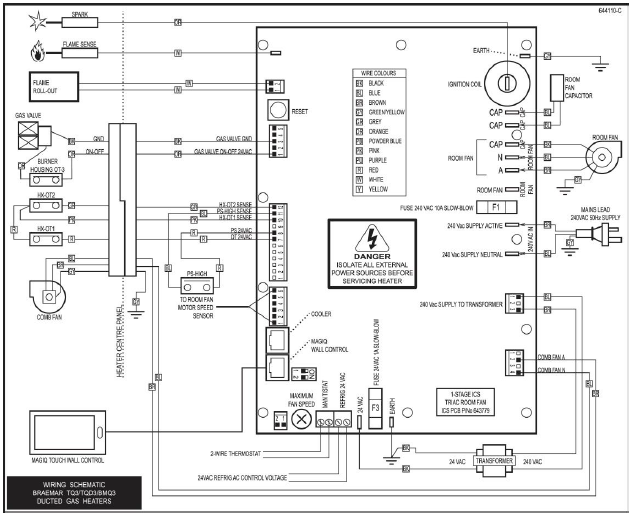
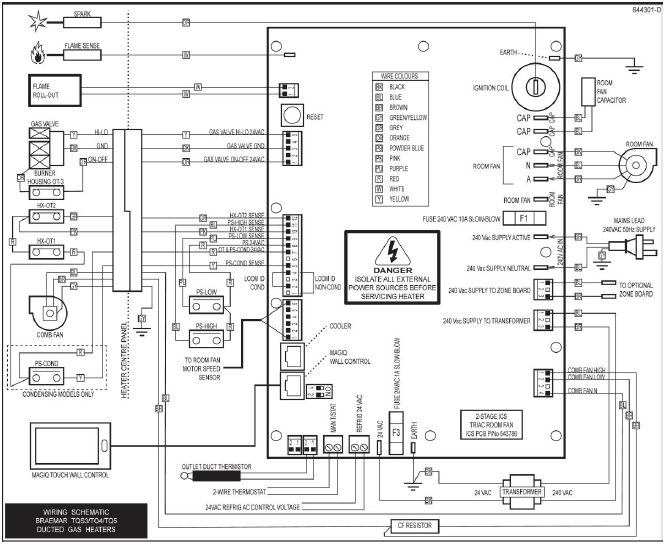
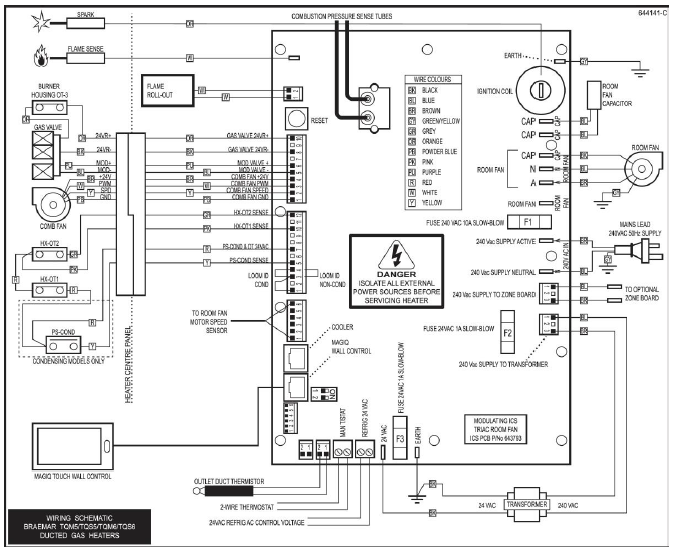
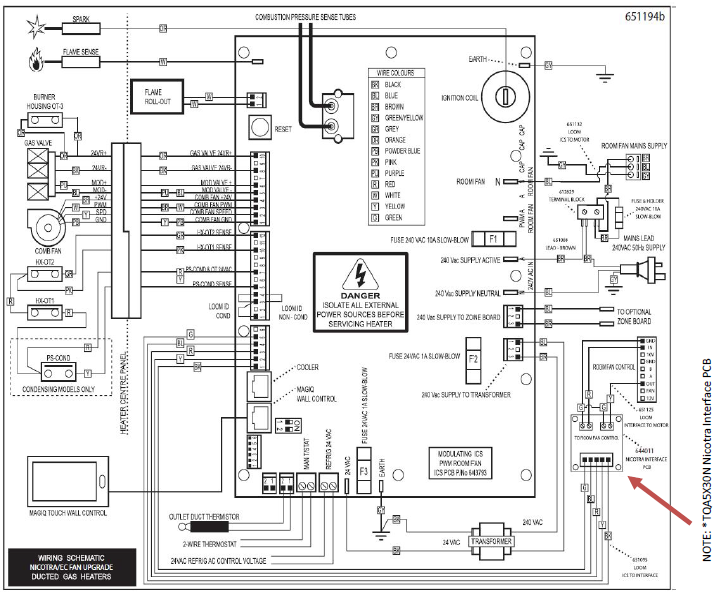
- Poor connection of ID loom on ICS PCBA
Summary
FC30 is a configuration or communication mismatch fault.
It is most commonly caused by:
- ICS PCBA replacement without correct setup
- MagIQtouch configuration not matching the heater
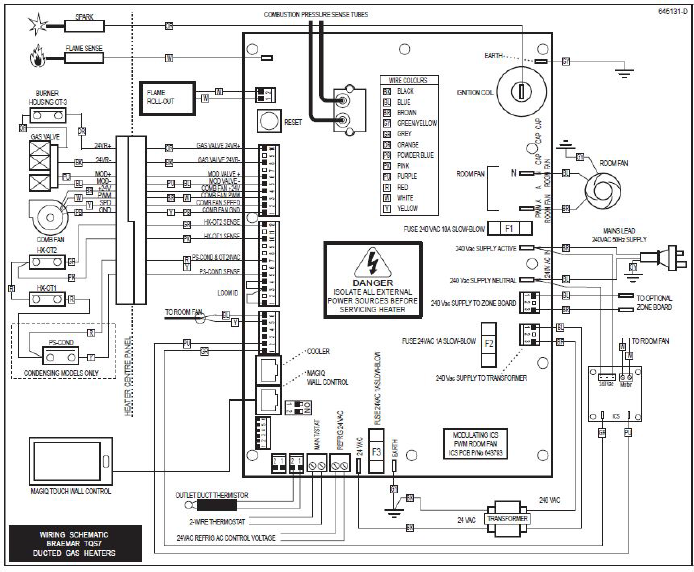
- Incorrect loom or wiring connection
Focus on confirming:
- controller setup
- heater configuration
- wiring and loom connections
before replacing any parts.
Fault code history can be accessed:
SETTINGS/SERVICE/GAS HEATER 01/7378 CONT/FAULT LOG
Click to View YouTube Video - MagIQtouch Heater Fault Log
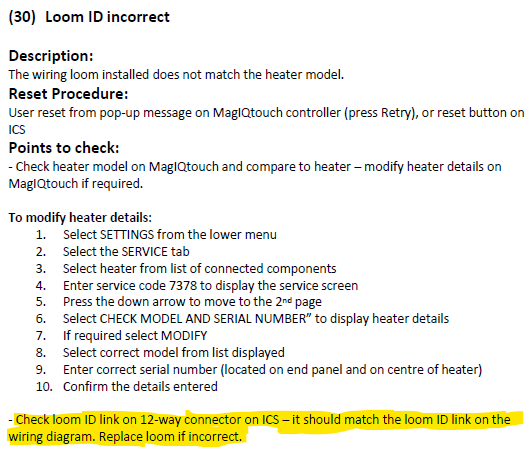
- IMPORTANT - Before replacing the loom check the link is fitted into the plug securely and making a good connection.