
MagIQtouch Wi-Fi Installation Manual (current version no power pack required) 861796-B AU2103
Pdf attached 861796-B Lit Install WIFI MaglQtouch No Power Pack
⚠️ Safety Notice – MagIQtouch Controllers and Components / Accessories
MagIQtouch controllers and accessories control devices used to operate and monitor compatible evaporative coolers, ducted gas heaters and add-on cooling systems.
Installation, commissioning, servicing, fault finding and repairs must only be carried out by suitably qualified and licensed personnel where applicable. Before commencing work, complete a task-specific risk assessment and ensure electrical safety procedures, safe access and appropriate PPE have been considered. All work must comply with applicable regulations, standards and manufacturer requirements.
Particular care must be taken when working on or around electrical systems, communication wiring, control circuits, roof spaces, ceiling spaces and associated heating or cooling equipment connected to the controller.
Do not proceed if safe access, electrical isolation requirements, required clearances or appropriate safety controls cannot be achieved and maintained. This controller forms part of a complete heating and/or cooling system, and incorrect installation, testing or servicing may result in equipment damage or unsafe operation.
Safety takes priority over diagnosis, repairs, installation schedules and customer expectations. If the task cannot be completed safely, it must not proceed until the risks have been adequately controlled.
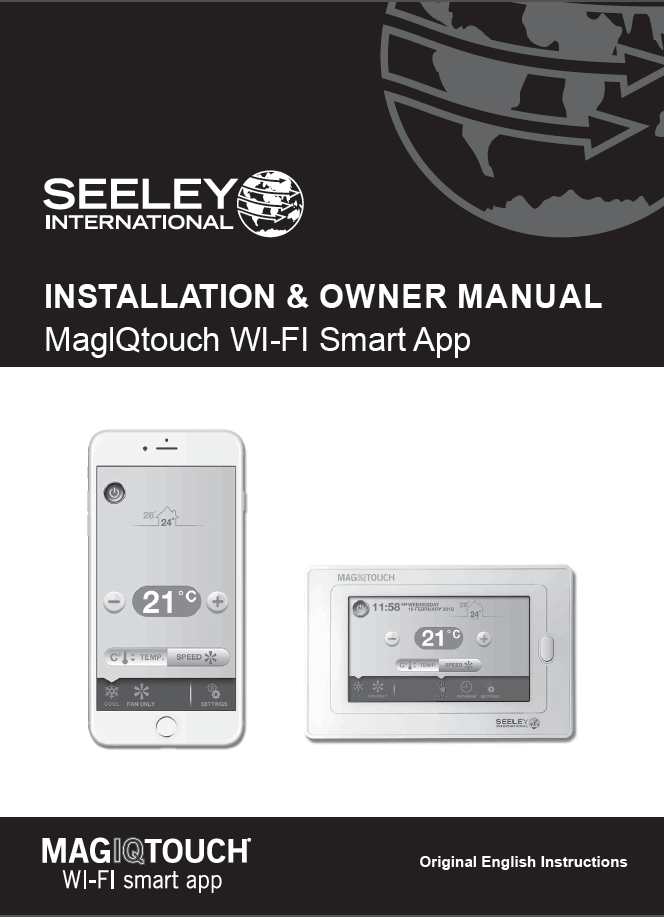
Installing and Configuring the MagIQtouch Wi-Fi Smart App Controller (No Power Pack) Kit Pt# 118352
Applies To:
- MagIQtouch Wi-Fi Smart App Controller
- Evaporative Coolers and Heaters with MagIQtouch compatibility
- Installations without a separate power pack
Installation Overview
Kit Contents
- 1x MagIQtouch Wi-Fi Smart App Controller - (IoT) Module
- 10 Meter communication cable - from IoT Module to heater or cooler
- 1x Installation Manual
- 2x PAN PHIL Screws (6AB × 1” ZP)
- 2x Yellow Wall Plugs (5mm)
Location Guidelines
- Install indoors only
- Place within 10m of the home Wi-Fi router for optimal signal
- Power is supplied via appliance connection (no separate power pack required)
- Compatible only with 2.4GHz Wi-Fi networks
Safety & Compliance
- Must be installed by qualified personnel
- Follow local wiring rules and OH&S regulations
Installation Steps
1. Mounting the Controller
- Secure using provided screws and wall plugs
- Ensure proximity to router and appliance
2. Power & LED Indicators
- Green LED: Power connected
- Red LED: No internet
- Orange LED: Internet connected, not linked to account
- Green LED (steady): Fully connected to internet and account
Mobile App Setup
Step 1: Download & Create Account
- Download from Google Play or Apple App Store
- Create a Seeley International account
- Validate via email code
Step 2: Wall Controller Configuration
- Run installation wizard
- Connect to Wi-Fi network (2.4GHz only)
- Enter Wi-Fi password and Seeley account credentials
Step 3: Finalize Setup
- Confirm signal strength (minimum 3 solid bars recommended)
- Complete system details in the app (location, name, etc.)
Troubleshooting
Wi-Fi Issues
- Ensure 2.4GHz band is enabled on router
- Re-enter correct password (case-sensitive)
- Check controller is within range of router
Account Issues
- Verify internet connection
- Re-enter correct account credentials
- Reset password via mobile app if needed
Signal Strength
- View signal strength via Wall Controller (minimum 3 solid bars recommended):
- Settings → MagIQtouch App Setup → Wi-Fi Connection → View Signal Strength
Recommended YouTube Videos
How to: Install the MagIQtouch Wi-Fi App & Create an Account
Step-by-step guide to download the app, create a Seeley account, and link your controller.How to: Check if your MagIQtouch Controller is Wi-Fi Enabled
Quick check to confirm Wi-Fi capability before setup.