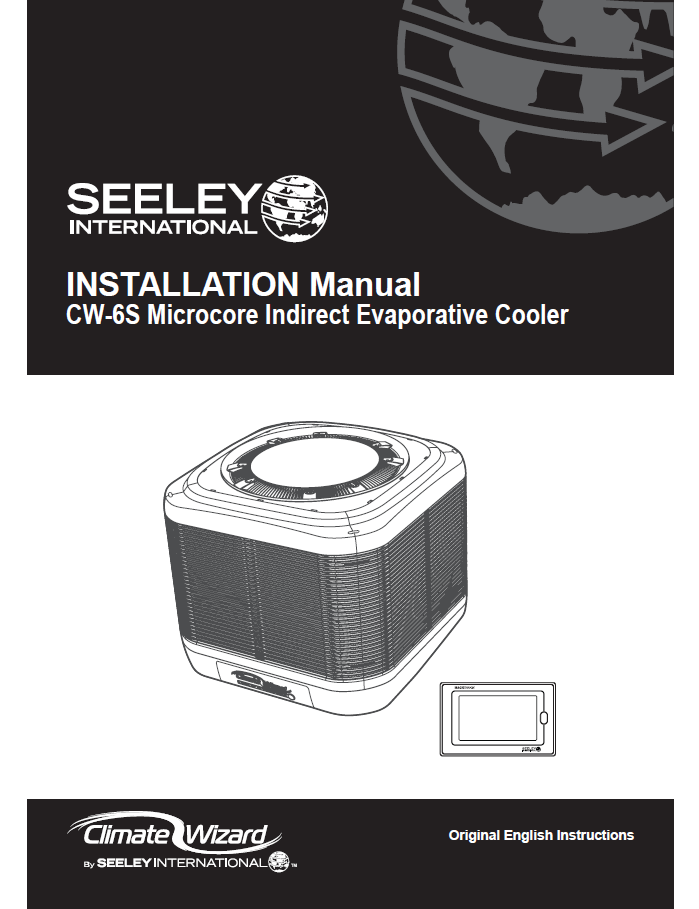
Installation and Operation Manual CW-6S Microcore Indirect Evaporative Cooler 859747-J
Pdf attached
CW‑6S Climate Wizard – Installation & Operation Guide (Knowledge Base Article)
1. Overview
The CW‑6S Climate Wizard is an indirect evaporative cooler designed for commercial and industrial environments. This guide provides technicians with key installation, wiring, commissioning, fault‑finding and maintenance information extracted and simplified from the official installation manual.
2. Safety Instructions
General Safety
- Only qualified personnel may install or service the unit.
- Always isolate electrical power before opening the unit.
- Ensure roof access, ladders, and lifting equipment comply with WHS regulations.
- Do not drill the water tank or modify cabinet components.
- Do not use unapproved or 3D‑printed replacement parts.
Bushfire Zones
- NOT approved for BAL‑12.5 to BAL‑FZ installations.
3. Cooler Dimensions
- Footprint: 1160 × 1160 mm
- Supply duct opening: 530 × 530 mm
- Height: ~1020 mm
- Operating weight: 210 kg
4. Installation Requirements
4.1 Roof Structure
- Roof must support 210 kg operating weight.
- Follow Appendix A engineering guidelines for:
- Timber truss 600/1200 spacing
- Steel truss 600/1200 spacing
- Conventional framing
- Additional reinforcement may be required.
- Contact a structural engineer if in doubt.
4.2 Location Clearances
- 3 m from solid fuel flue
- 1.5 m from gas flue
- 1.2 m from solar panels
- 6 m from sewer vent
- 600 mm to walls
- 3–5 m away from TV antennas
4.3 Fresh Air & Exhaust
- Locate where fresh air is plentiful.
- Avoid recirculation from warm exhaust air.
- Ensure building has adequate exhaust openings.
5. Installation Procedure
5.1 Prepare Supply Duct
- Duct size: 530 × 530 mm, 1.0–1.2 mm thick.
- Install transition using provided TEK fasteners.
- Ensure duct is level.
- Flash to roof to prevent leaks.
- Install T‑washers and pre‑drill holes before placing cooler.
5.2 Power Cable Preparation
- Power cable is inside the tank from factory.
- Route cable out through rear access port if running internally down the duct.
- Secure cable to prevent it contacting water.
5.3 Communication Cable Preparation
- Use supplied 20 m RJ12 cable.
- Feed through grommet in duct.
- Maintain separation from AC power cables (min 50 mm).
5.4 Lifting the Cooler
- Lift using sling through foam support blocks only.
- Do NOT lift using cabinet panels or pallet.
- Two people are required to guide unit onto transition.
5.5 Securing the Cooler
- Align white transition straps with pre‑drilled holes.
- Secure using the 12 supplied screws only.
6. Electrical Requirements
Voltage
- AU/EU: 220–240 V, 50 Hz, 7.0 A
- USA: 200–240 V, 60 Hz, 8 A FLA
Requirements
- Dedicated circuit & breaker.
- Local isolator within 1 metre.
- Do not allow cable to touch water in tank.
Control Module Connections
- Pumps (Left = Indirect, Right = Direct)
- Exhaust/supply fans
- Solenoid valve
- Water probe
- Drain valve
- Chlorinator
- COMMS ports (RJ12)
7. Water Requirements
Supply
- Pressure: 100–800 kPa (ideal 200–400 kPa)
- Flow: 10–20 L/min
- Temp: ≤ 40°C
Mandatory Components
- ¼‑turn isolation valve
- Pressure regulator
- 500‑micron inlet filter
- New hose set (supplied)
- Drain line with adequate fall
Drain Water
- Saline discharge must be directed to appropriate drain point.
- Must not drain onto roof.
8. Water Management System
Indirect Pump
- ON: 8 sec
- OFF: 52 sec
Direct Pump
- ON: 5 sec
- OFF: 26 sec
Salinity Control
- Conductivity measured via 3‑pin probe.
- Auto‑drain occurs when salinity > setpoint.
Chlorinator
- Activates during COOL mode when:
- Water level is above bottom probe
- Conductivity >1500 µS/cm
9. Commissioning Checklist (Summarised)
Water System
- Solenoid fills tank.
- Both pumps run.
- Drain valve opens/closes correctly.
- No leaks.
Fans
- Supply & exhaust fans run from speeds 1–10.
- No excessive noise or vibration.
Weatherseal
- Opens freely to 70°.
Cooling Core Flush
- Run for 15 minutes.
- Verify all hose circuits correctly connected:
- Blue hoses → indirect pump → lower manifold
- Grey hoses → direct pump → upper manifold
Customer Handover
- Explain COOL/VENT modes.
- Explain window/door opening requirements.
- Provide manual and maintenance schedule.
10. Fault Codes (Quick Reference)
| LED Pattern | Fault | Meaning | Remedy |
|---|---|---|---|
| 1 Red flash | #1 | Communication failure | Check wall control cable |
| 2 Red flashes | #2 | No water at low probe | Check fill, probe, drain valve |
| 3 Red flashes | #3 | No water at high probe | Check pressure, solenoid |
| 4 Red flashes | #4 | Low probe not clearing | Check drain flow |
| 5 Red flashes | #5 | High probe wet but low dry | Clean probe |
| 7 Red flashes | #7 | Supply motor error | Check power/signal cables |
| 13 Red flashes | #13 | Exhaust motor error | Check power/signal cables |
Chlorinator faults and LED colour patterns are also supported.
11. Troubleshooting (Summary)
Cooler not starting
- Check power supply & breaker
- Clear active fault codes
- Wall controller not in program mode
Poor cooling
- Dirty filters or cores
- Insufficient exhaust in building
- Incorrect duct sizing
- High ambient humidity
Water leaks
- Loose hose connections
- Blocked drains
- Incorrect probe height
Odours
- New cores → run flush cycle
- Dirty cores → clean/replace
12. Maintenance Requirements
Commercial/Industrial (Seasonal)
- Service twice per year
- Filters cleaned monthly, replaced yearly
- Chlorinator replaced every 4 years
Commercial/Industrial (Year‑round)
- Service every 3 months
- Filters cleaned monthly, replaced yearly
- Chlorinator replaced every 2 years
Critical Tasks
- Clean cores (Micro‑Core & Chillcel)
- Inspect pumps & strainers
- Test drain valve
- Validate fan operation
- Inspect water probe & conductivity
13. Winter Shutdown Instructions
- Drain reservoir and clean tank.
- Isolate water supply.
- Isolate power.
- Cooler can run VENT mode only in freezing conditions.