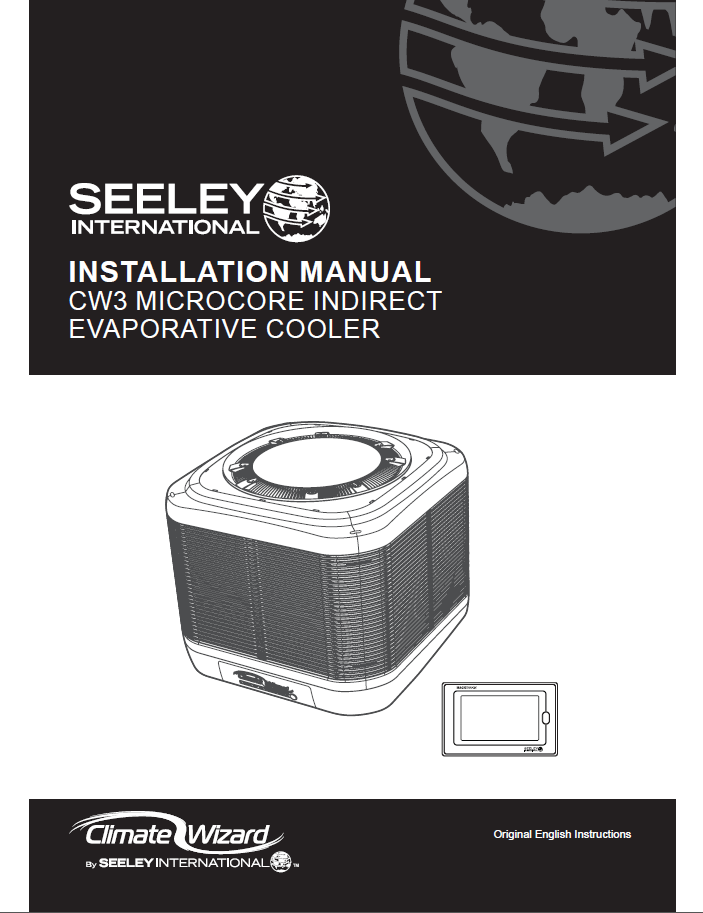
Installation and Operation Manual CW3 Microcore Indirect Evaporative Cooler 859741-N
Pdf attached
Climate Wizard CW3 – Installation, Operation & Service Guide
1. Introduction
The Climate Wizard CW3 is an indirect evaporative cooler designed for commercial and industrial ventilation and cooling applications. This guide covers installation, commissioning, operation, fault diagnosis, and maintenance requirements.
IMPORTANT: Failure to install or commission the unit correctly will void the customer’s warranty and may expose installers to liability. Always read and follow all instructions.
2. Important Safety Instructions
General Safety
- Installation and service must be performed by qualified personnel only.
- Always isolate mains power before servicing or cleaning.
- Use only approved replacement parts—never use third‑party or 3D‑printed components.
- Do not drill or puncture the cooler water tank.
- All pole disconnection must be included in fixed electrical wiring (per wiring rules).
Bushfire Zones
- NOT approved for BAL‑12.5 to BAL‑FZ installations.
- For BAL‑12.5 to BAL‑29, the dropper duct and flashings must be sealed to prevent gaps >3 mm and must be non‑combustible.
Working at Heights
Installers must perform a risk assessment before starting work. Consider:
- Access to roof
- Weather conditions
- Condition and strength of roof structure
- Footwear and fall‑prevention equipment
- Ladder stability
- Tools and loose materials
- Electrical hazard awareness
3. Cooler Overview
Key Dimensions
- Footprint: 1160 × 1160 mm
- Height: 1020 mm
- Duct opening: 530 × 530 mm
- Operating weight: 210 kg
System Components
- Indirect heat exchanger cores (Micro‑Core®)
- Direct evaporative media (Chillcel®)
- Supply and exhaust fans (EC motors with VSD)
- Water reservoir, pumps, solenoid valve, chlorinator
- Drain valve and water probe
- Electronics control module
Exploded diagrams and part numbers appear in the PDF for service reference.
4. Transport, Handling & Unpacking
- Inspect for transport damage prior to unpacking.
- Do not lift the cooler unless resting on its dedicated pallet.
- Foam support blocks must remain in place for lifting.
- Crane lifting must use slings through designated pallet recesses—never use cabinet panels.
- Store the cooler upright; protect ports from debris and weather.
5. Installation Requirements
5.1 Roof Structure & Load Assessment
- Roof must support 210 kg operating weight.
- Most residential structures require reinforcement.
- Follow Structural Appendices for timber/steel truss design guidelines.
- If unsure: consult a structural engineer (mandatory where conditions deviate).
5.2 Location Clearances
Minimum distances:
- 3 m from solid‑fuel flue
- 1.5 m from gas flue
- 1.2 m from solar panels
- 6 m from sewer vent
- 600 mm from walls
- 3–5 m from rooftop TV antennas
- Avoid recesses that restrict airflow
- Prevent exhaust re‑circulation into intake
5.3 Access for Servicing
Ensure:
- Adequate space for technicians around all sides
- Safe access pathways
- Compliance with fall‑prevention regulations
6. Installing the Supply Duct & Transition
6.1 Duct Requirements
- External size: 530 × 530 mm
- Thickness: 1.0–1.2 mm
- Raw or safe edge only; Do not inward‑fold flanges.
- Duct must be fully insulated.
6.2 Transition Installation
- Remove weatherseal flaps.
- Fit transition to duct using 6 supplied fasteners.
- Level the duct on the roof using a spirit level.
- Secure duct to roof framing using roofing screws (not TEK screws).
- Insert 4 × T‑washers into the transition.
- Refit weatherseal; ensure flaps open freely to ~70°.
- Pre‑drill 3 × 8 mm pilot holes per T‑washer.
7. Cable Preparation
7.1 Communication Cable
- Use supplied MagIQtouch RJ12 cable.
- Route through grommet into transition slot.
- Leave ~1.5 m excess cable.
- Do NOT route adjacent to AC power cables.
7.2 Power Cable
- Factory‑bundled inside tank.
- Remove side panel, feed through rear access hole.
- Tape externally before lifting cooler.
8. Lifting & Mounting the Cooler
- Sling cooler using recess channels in foam supports.
- Raise ~100 mm above transition.
- Ensure correct orientation (branding at front).
- Guide communication & power cables into duct.
- Align white dropper straps with pilot holes.
- Secure cooler using 12 dedicated screws only.
- Do NOT place any part of the body beneath suspended load.
9. Electrical Installation
Electrical Supply
- AU/EU: 220–240 V / 50 Hz / 7 A
- USA: 200–240 V / 60 Hz / 8 A FLA
Requirements
- Dedicated circuit & breaker
- Local isolator within 1 metre
- Replace damaged cable only with manufacturer‑approved parts
- Ensure cables do not contact water
Control module includes:
- Pump outputs
- Fan motor power & signal
- Solenoid, drain valve, chlorinator
- Dual COMMS ports
10. Plumbing Installation
10.1 Water Supply
- Pressure: 100–800 kPa
- Flow: ≥10 L/min (recommended 20 L/min)
- Temp: ≤40°C
- Salinity: 100–1150 μS/cm
Install:
- Pressure regulator
- 500‑micron filter
- ¼‑turn isolation valve
- New hose set (mandatory)
10.2 Drain System
- Connection: 20 mm hose barb
- Flow: 15 L/min
- Must not discharge onto roof
- Use tundish if long drain runs or shared lines
11. Water Management System
Indirect Pump (left pump)
- 8 sec ON / 52 sec OFF
Direct Pump (right pump)
- 5 sec ON / 26 sec OFF
Inlet Solenoid Valve Operation
- Opens when low probe dry ≥5 sec OR high probe dry ≥15 min
- Closes when high probe wet ≥5 sec
- Locked out when drain valve is open
Drain Cycles
- Salinity drain: When conductivity > setpoint
- Clean tank drain: If conductivity <1500 μS/cm for 24 hours
- 3‑day inactivity drain on startup
Chlorinator
- Active only in COOL mode
- Requires water level above bottom probe
- Conductivity must exceed 1500 μS/cm
12. Fan System
- Two EC motors (supply + exhaust)
- 10‑step speed control
- Exhaust fan speed auto‑tracks supply fan
- Drying cycle: Exhaust runs at speed 4 for 20 minutes after COOL mode stops
13. Commissioning Procedure
13.1 Installation Checks
- Cooler level and secure
- Weatherseal operates freely
- All penetrations flashed/sealed
- Water pressure 100–800 kPa
- Flow ≥10 L/min
- No leaks at any fittings
13.2 Water Management Checks
- Fill solenoid admits water
- Water salinity >100 μS/cm
- Pumps operate correctly
- Drain valve opens and fully empties reservoir
13.3 Fan Checks
- Supply & exhaust fans operate from speed 1–10
- No abnormal noise/vibration
13.4 Heat Exchanger Flush
- Run 15‑minute flush via service menu
- Verify:
- Blue hoses → left pump → bottom manifold
- Grey hoses → right pump → top manifold
13.5 Customer Handover
Explain:
- Opening windows/doors for exhaust
- COOL vs VENT operation
- MagIQtouch controller functions
- How to isolate water & power
- How to drain cooler
14. Fault Codes
A complete LED fault table is included in the manual. Key examples:
| LED Pattern | Fault | Meaning | Remedy |
|---|---|---|---|
| 1 Red Flash | #1 | Communication failure | Check RJ12 cable & controller |
| 2 Red Flashes | #2 | Low probe no water | Check supply, solenoid, drain valve |
| 3 Red Flashes | #3 | No high probe water | Check pressure & solenoid |
| 4 Red Flashes | #4 | Low probe not clearing | Check drain line/blockages |
| 7 Red Flashes | #7 | Supply motor error | Check power & comms cables |
| 13 Red Flashes | #13 | Exhaust motor error | Check power & comms cables |
Chlorinator warnings and conductivity LED patterns are also provided.
15. Troubleshooting Guide (Summary)
Common Issues:
- Cooler won’t start: Fault present, no power, incorrect controller setup
- Inadequate cooling: Dirty filters, clogged cores, incorrect duct sizing, insufficient exhaust openings
- Odours: New cores (flush required), contaminated water
- Water leaks: Loose hoses, blocked drains
- Water carryover: Dirty cores, incorrect manifold fitment, high static pressure
16. Maintenance Schedule
Commercial/Industrial (Seasonal Use):
- Full service twice per year
- Filters cleaned monthly, replaced annually
- Chlorinator replaced every 4 years
Commercial/Industrial (All‑Year):
- Full service every 3 months
- Filters cleaned monthly, replaced annually
- Chlorinator replaced every 2 years
Maintenance tasks include:
- Checking structural and electrical components
- Cleaning filters, strainers, manifolds, tank surfaces
- Testing pumps, valves, water probes, motors
- Inspecting hoses, O‑rings, gaskets
17. Winter Shutdown
- Drain & clean reservoir
- Isolate water supply
- Isolate power
- Unit cannot operate in COOL mode in freezing conditions
- VENT mode permissible with caution