MagIQtouch ZCB Not Detected After Replacement (44R0217 or Earlier Controllers – Single & Multiple Systems)
⚠️ Safety Notice – Gas Heating Products
This appliance must only be installed, commissioned, serviced and repaired by suitably qualified and licensed personnel.
Before commencing work, complete a task-specific risk assessment and ensure gas and electrical safety requirements, ventilation provisions, safe access, adequate service clearances and appropriate PPE have been considered. All work must comply with applicable regulations, standards and manufacturer requirements.
Particular care must be taken when working around gas systems, electrical components, combustion products, hot surfaces, moving parts, roof spaces, ceiling spaces and confined spaces.
Do not proceed if safe access, required clearances, ventilation requirements, confined space risks or appropriate safety controls cannot be achieved and maintained.
Safety takes priority over diagnosis, repairs, installation schedules and customer expectations. If the task cannot be completed safely, it must not proceed until the risks have been adequately controlled.
Issue:
After replacing a Zone Control Board (ZCB) on a MagIQtouch system, the controller displays:
“System modification – have you changed wall controller or board”
and loops back to the same screen regardless of selection.
Applies To
- Systems with ZCB software 25R0923 or later
- MagIQtouch wall controllers with software 44R0217 or earlier
- Both:
- Single controller systems
- Multiple controller (Master / Slave) systems
Cause
Older MagIQtouch wall controllers (44R0217 and earlier) cannot communicate with newer ZCB software (25R0923+), so the system cannot complete configuration.
This applies regardless of whether there is one controller or multiple controllers installed.
Available Fix Options
- Replace all MagIQtouch wall controllers
- Convert to single controller zoned system (compatible controller required)
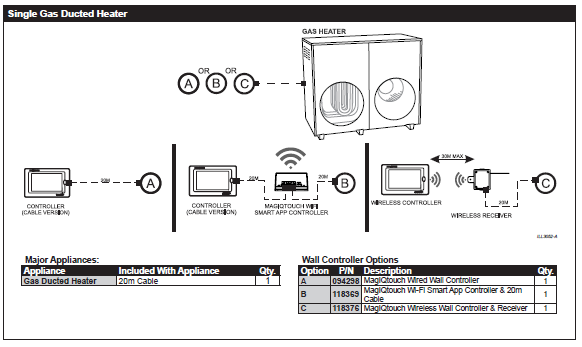
- Remove zoning and run single controller (no ZCB)
Quick Diagnosis
If:
- New ZCB fitted
- Controller ≤ 44R0217
- Looping “system modification” screen
Do not continue commissioning — this is a compatibility issue, not a setup issue.
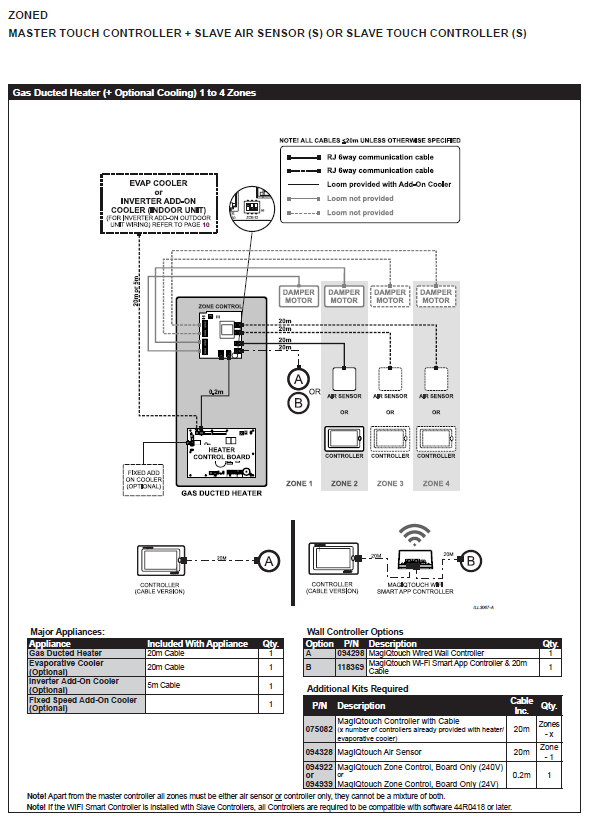
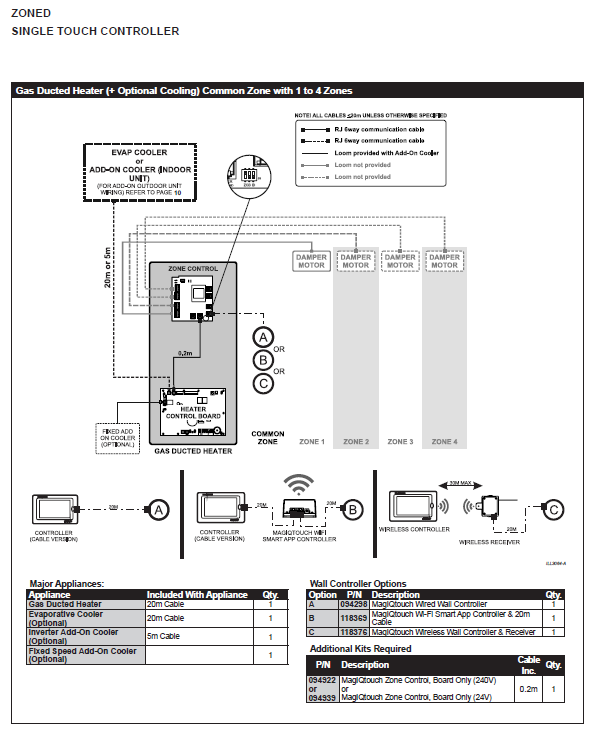
Convert to Single Controller Zone System:
- Remove all Secondary (Slave) controllers and convert the system to a single controller zone system (common zone with 1 to 4 zones).
- Ensure the temperature is monitored in the common zone where the single MagIQtouch wall controller is situated.
Steps:
- Identify and remove all Secondary (Slave) MagIQtouch wall controllers.
- Reconfigure the system to operate as a single controller zone system.
- Ensure the single MagIQtouch wall controller is situated in the common zone for accurate temperature monitoring.
Convert to Single Controller No Zone System:
- Remove all zone controls and associated equipment, converting to a single control no zone system.
Steps:
- Identify and remove all zone controls and associated equipment.
- Reconfigure the system to operate without zones, using a single MagIQtouch wall controller.