⚠️ Safety Notice – Commercial Evaporative Cooling Products
This equipment must only be installed, commissioned, serviced and repaired by suitably qualified and licensed personnel.
Before commencing work, complete a task-specific risk assessment and ensure safe roof access, fall protection requirements, electrical isolation procedures, service clearances and appropriate PPE have been considered. All work must comply with applicable regulations, standards and manufacturer requirements.
Particular care must be taken when working at heights, in roof spaces, ceiling spaces and other restricted access areas. Additional consideration must be given to confined working conditions, electrical hazards, moving parts, water systems, wet surfaces, manual handling risks and weather conditions.
Do not proceed if safe access, weather conditions, required clearances, confined space risks or appropriate safety controls cannot be achieved and maintained.
Safety takes priority over diagnosis, repairs, installation schedules and customer expectations. If the task cannot be completed safely, it must not proceed until the risks have been adequately controlled.
Applicable to:
- RPS Coolers
- RPM Coolers
- RPL Coolers
- RPXL Coolers
Important Notes
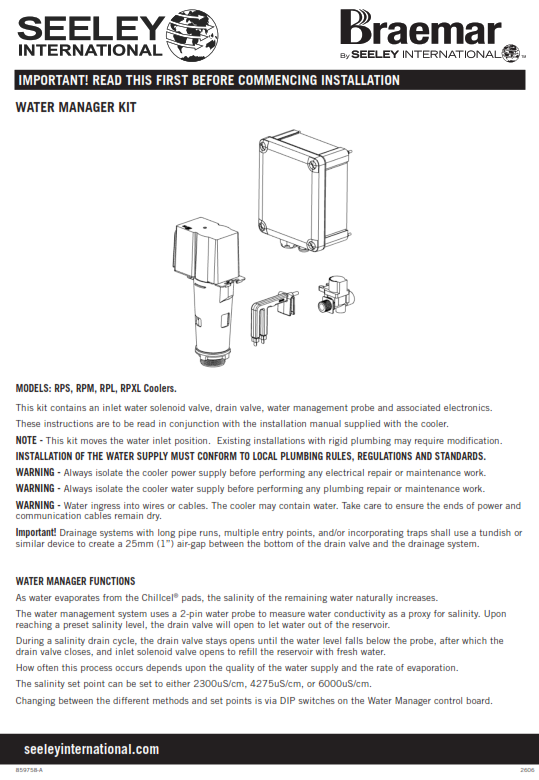
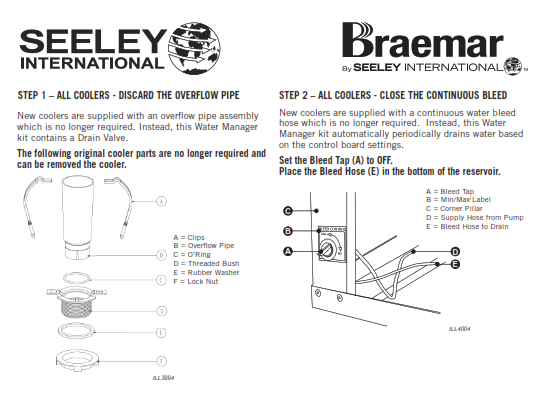
- This kit replaces the standard overflow and continuous bleed system with an automatic drain system.
- Installation may require modification to existing rigid plumbing due to the relocated inlet position.
- Installation must comply with local plumbing rules and standards.
Safety Requirements
- Isolate power supply before electrical work.
- Isolate water supply before plumbing work.
- Ensure cables remain dry at all times.
Additional Info
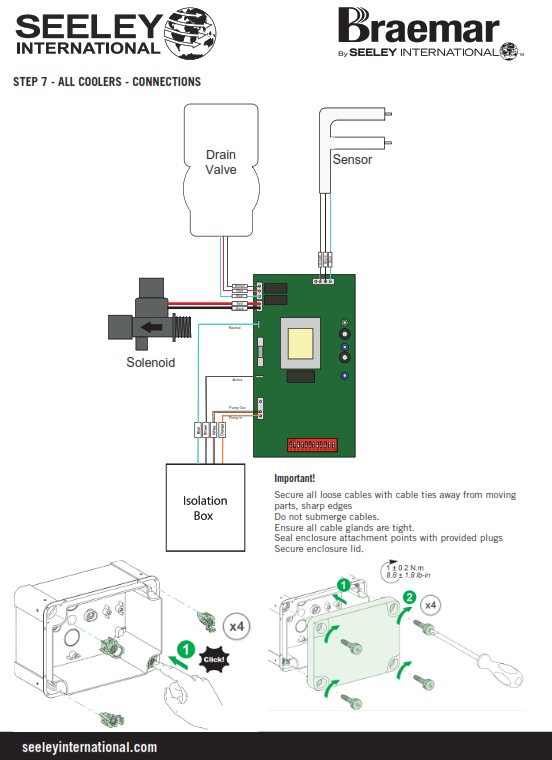
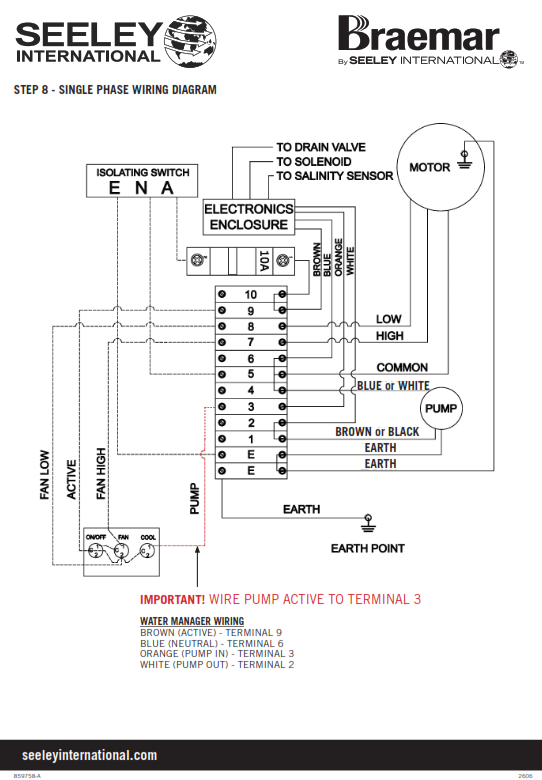
The Water Manager system:
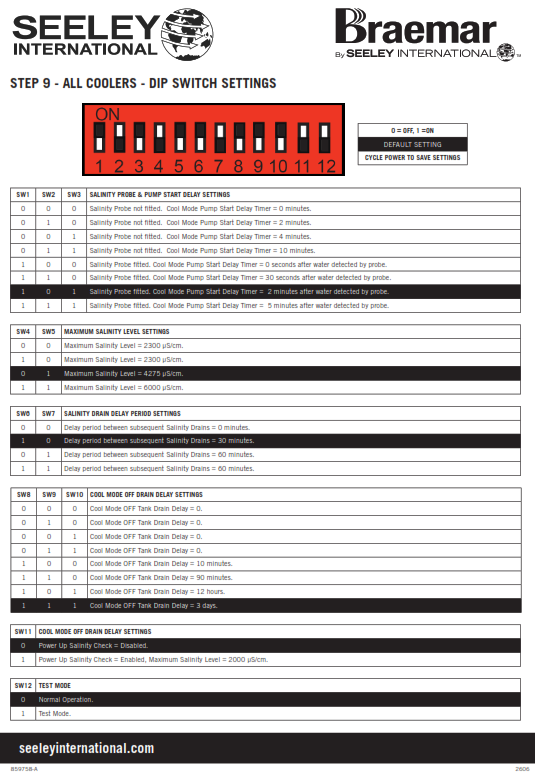
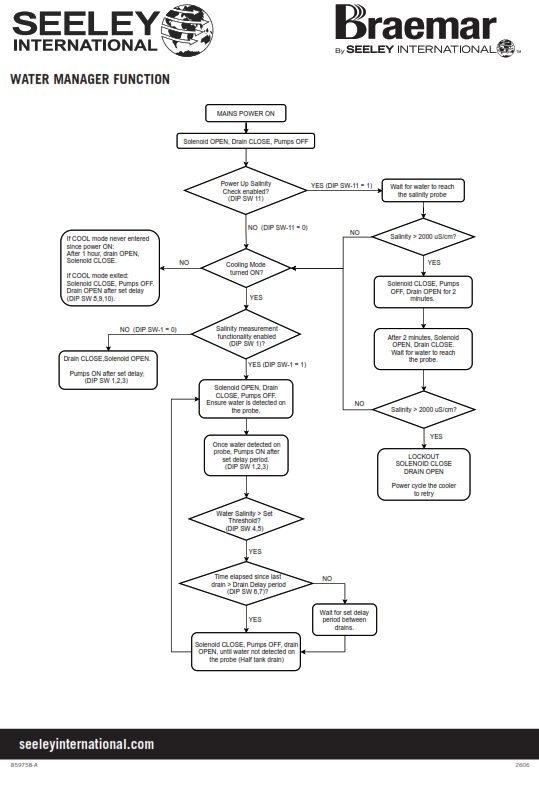
- Monitors water salinity using a probe
- Automatically drains and refills water to control salinity levels
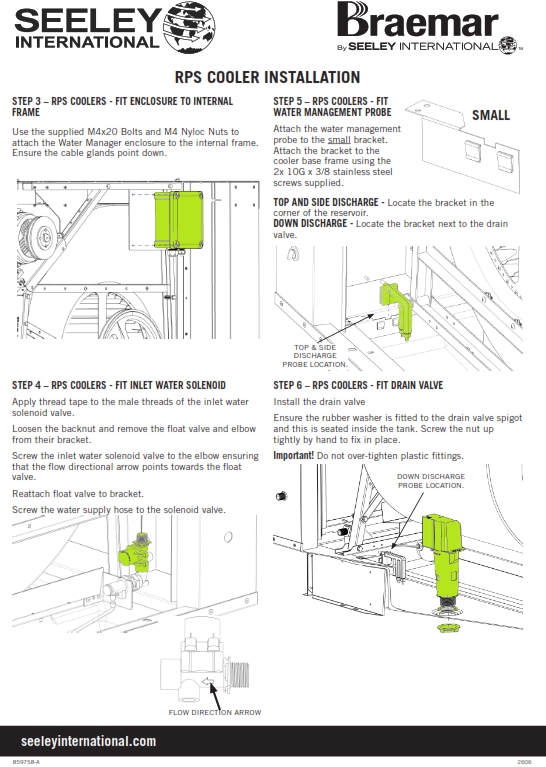
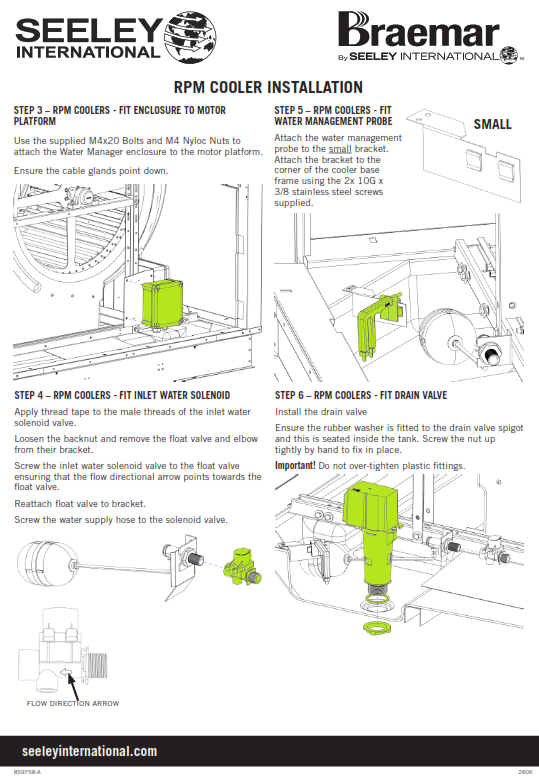
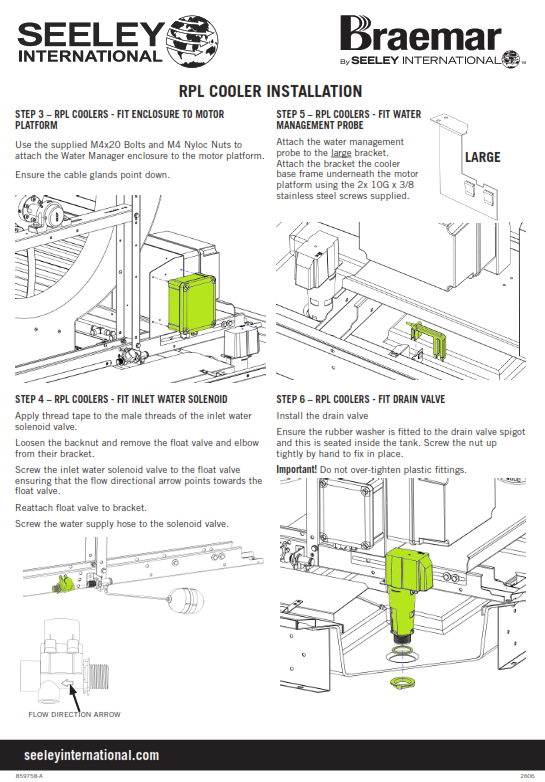
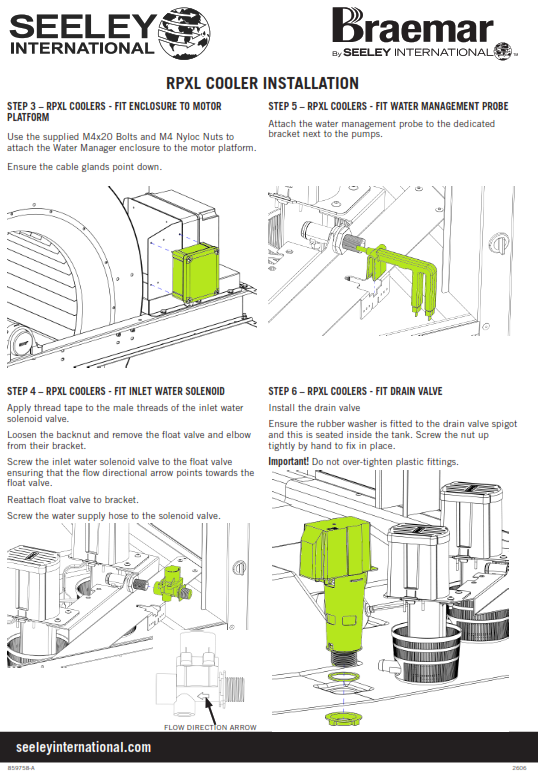
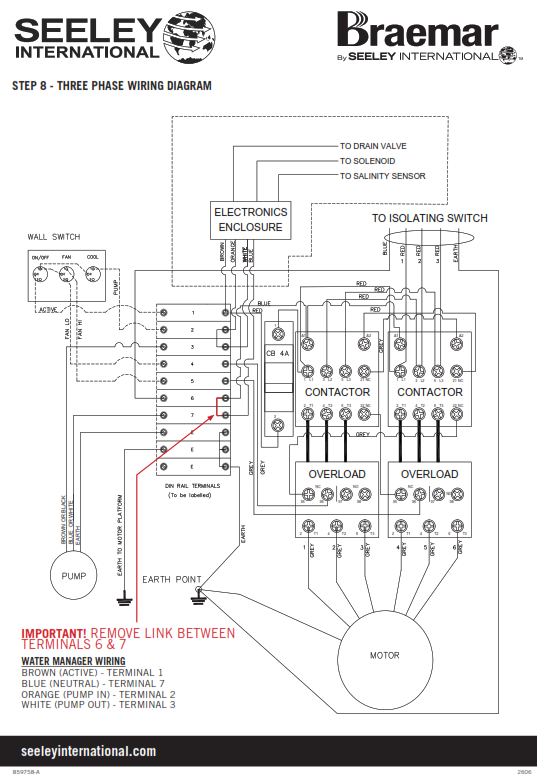
IMPORTANT!!! THE ABOVE INSTRUCTION TO REMOVE LINK BETWEEN TERMINALS 6 & 7 IS INCORRECT AND SHOULD READ REMOVE LINK BETWEEN TERMINALS 2 & 3
This will be corrected in the next update of the instruction flyer